

In case you prefer watching / listening, here’s a video version of this newsletter:
In this newsletter I’m going to explain a free Twitter growth tool that helped me gain 18K followers and 70M views in 90 days and the best part is that it’s completely free.
I won’t waste your time with fluff so let me tell you what it is and how you can use it to blow up your Twitter following as fast as possible (you can use it to find high-performing ideas for all other writing platforms as well).
Twitter Advanced Search
The tool is called Twitter Advanced Search.
It’s been around for a long time, but it’s kind of hidden. Most people don’t know it exists or they don’t know how to use it properly.
To find it, you need to go to x.com/advanced-search.
When you’re there, this is what you see:
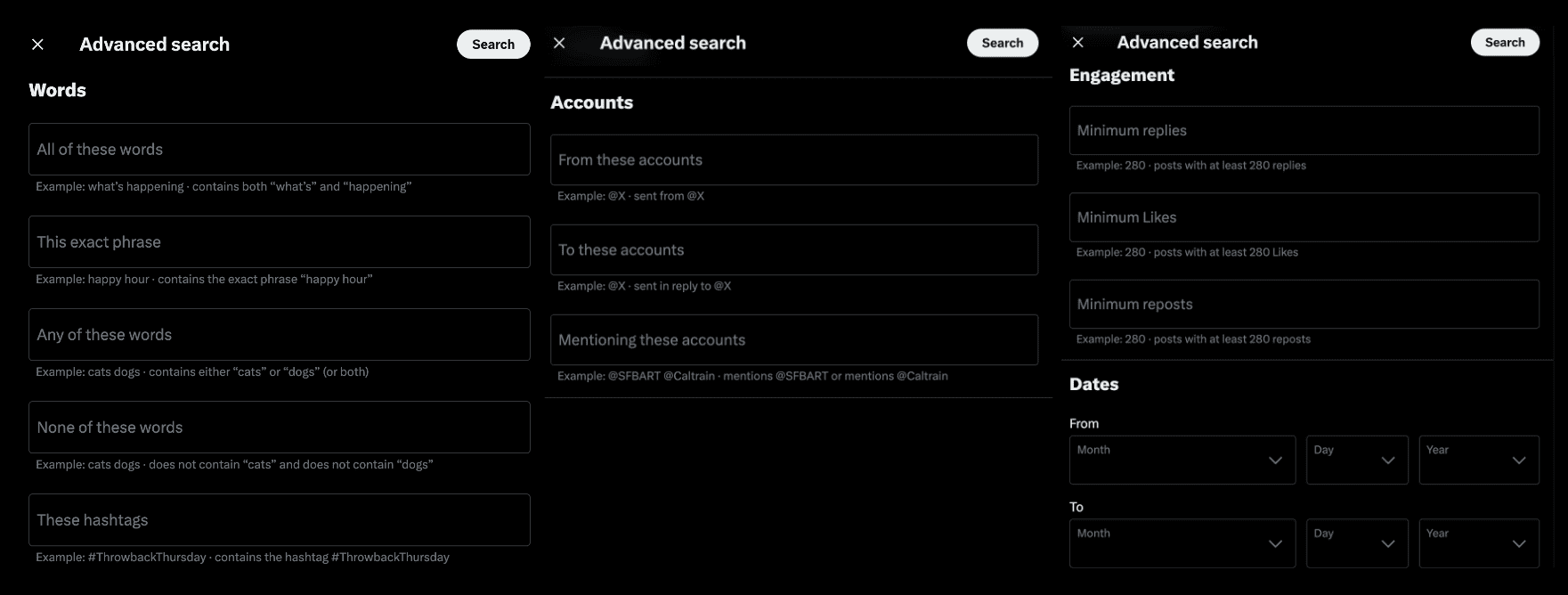
You can search for words, accounts, engagement, and dates. This can seem overwhelming at first, but there are actually only a few options that matter.
The words
The account
The minimum likes
The date range
In my experience, you don’t need more than these 4.
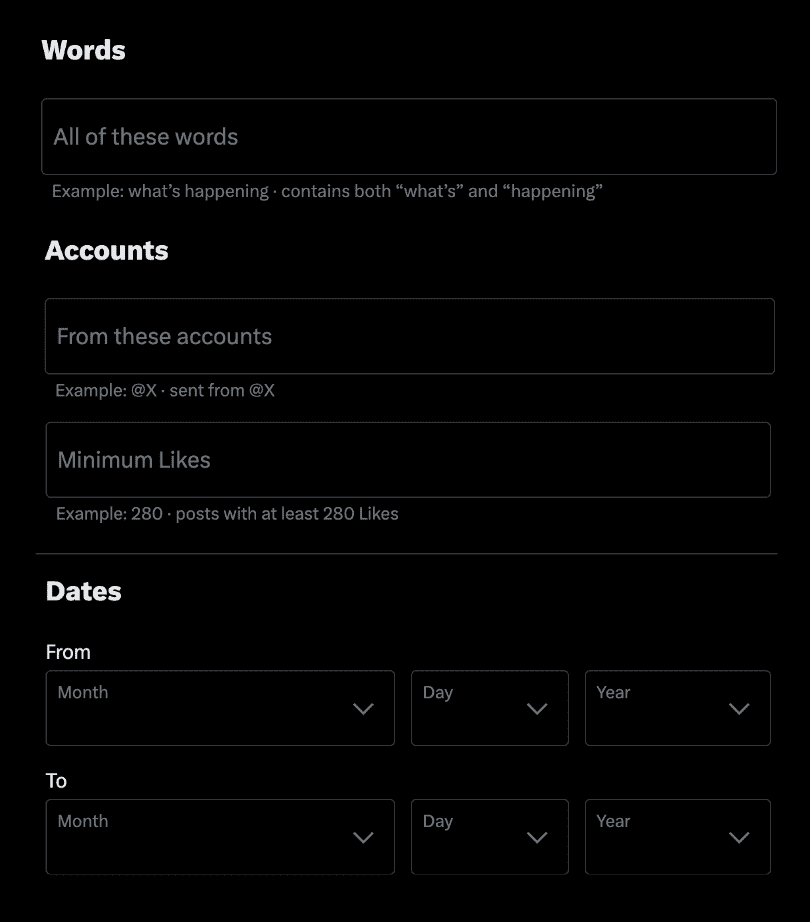
With these options, you can basically use Twitter Advanced Search in 2 different ways.
1. Search For Topics
The first way is to search for content with specific words.
Either from a creator you like or just in general.
For this, I recommend entering:
The specific word (f.e. business)
The amount of likes (f.e. 1000+ likes per post)
The handle of the creator (f.e. thedankoe – optional)
When you do this, you see all the tweets of this creator with this specific word (with the minimum amount of likes you entered).
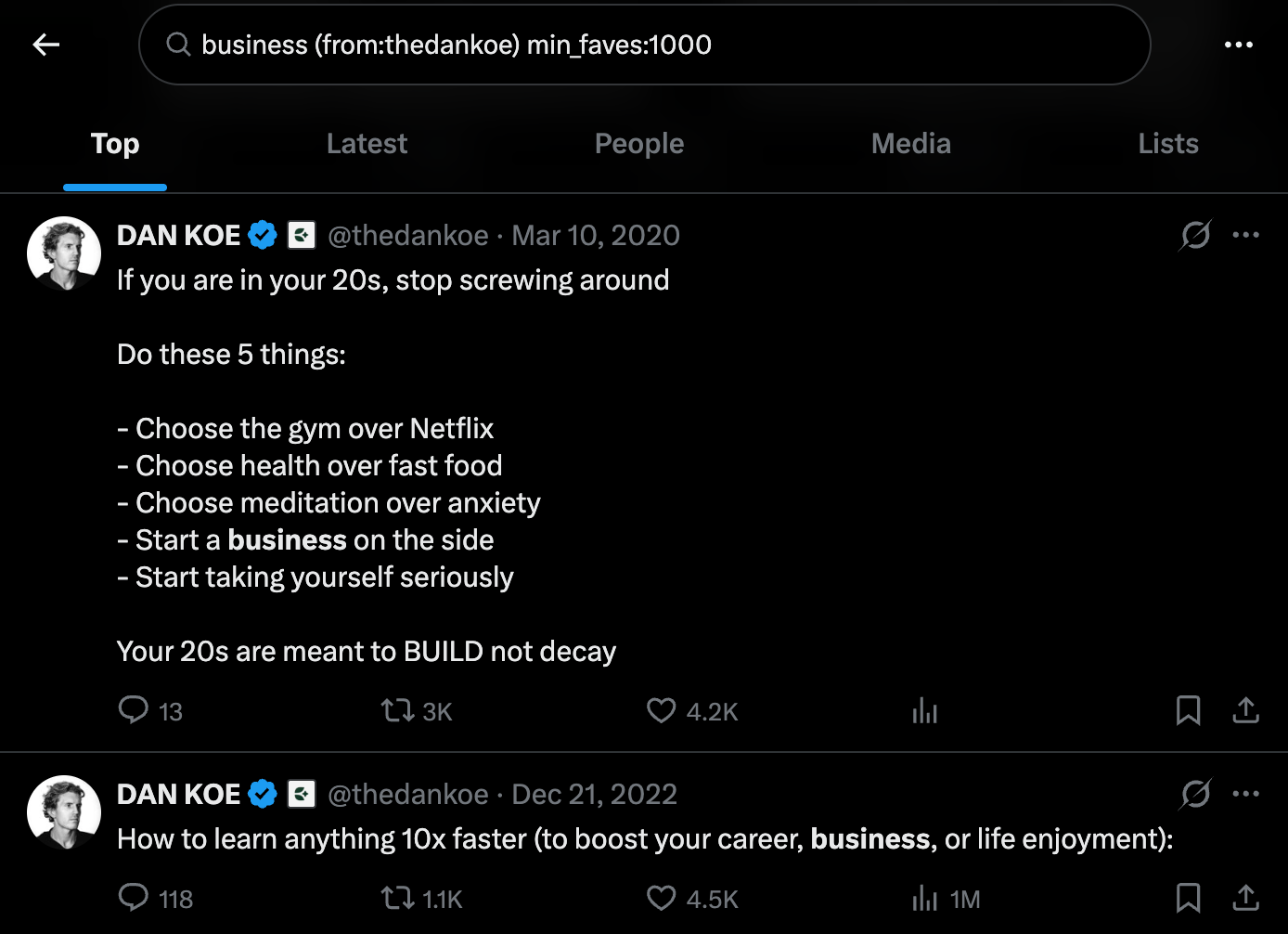
This can be useful if you want to see if one of your favorite creators wrote about a certain topic. If you just want to see high-performing content about this topic, you can remove the name of the creator (and you can change the amount of likes).
As you can see in the image above, Twitter also automatically generates the following words in the search bar:
business (from:thedankoe) min_faves:1000
This is an alternative way of using Twitter Advanced Search (more on this in a minute).
So that’s the first use case. The second one is to find outliers from a certain creator.
2. Search For Outliers
An outlier is a post that gets at least 5× as many views or likes as usual. They can be useful to see what’s currently working well so you can learn from it.
For this, I recommend entering:
The date range (f.e. the last 90 days)
The handle of the creator (f.e. thedankoe)
The amount of likes (f.e. 5000+ likes per post)
The amount of likes depends on the creator you’re researching. I recommend scrolling through their feed first so you can see what their average amount of likes is.
Then enter at least 5x this amount in Advanced Search. If you get too many posts, increase the amount of likes. If you don’t get enough posts, decrease the amount of likes.
When you do this, you see the tweets of this creator that did better than usual in the last 90 days.
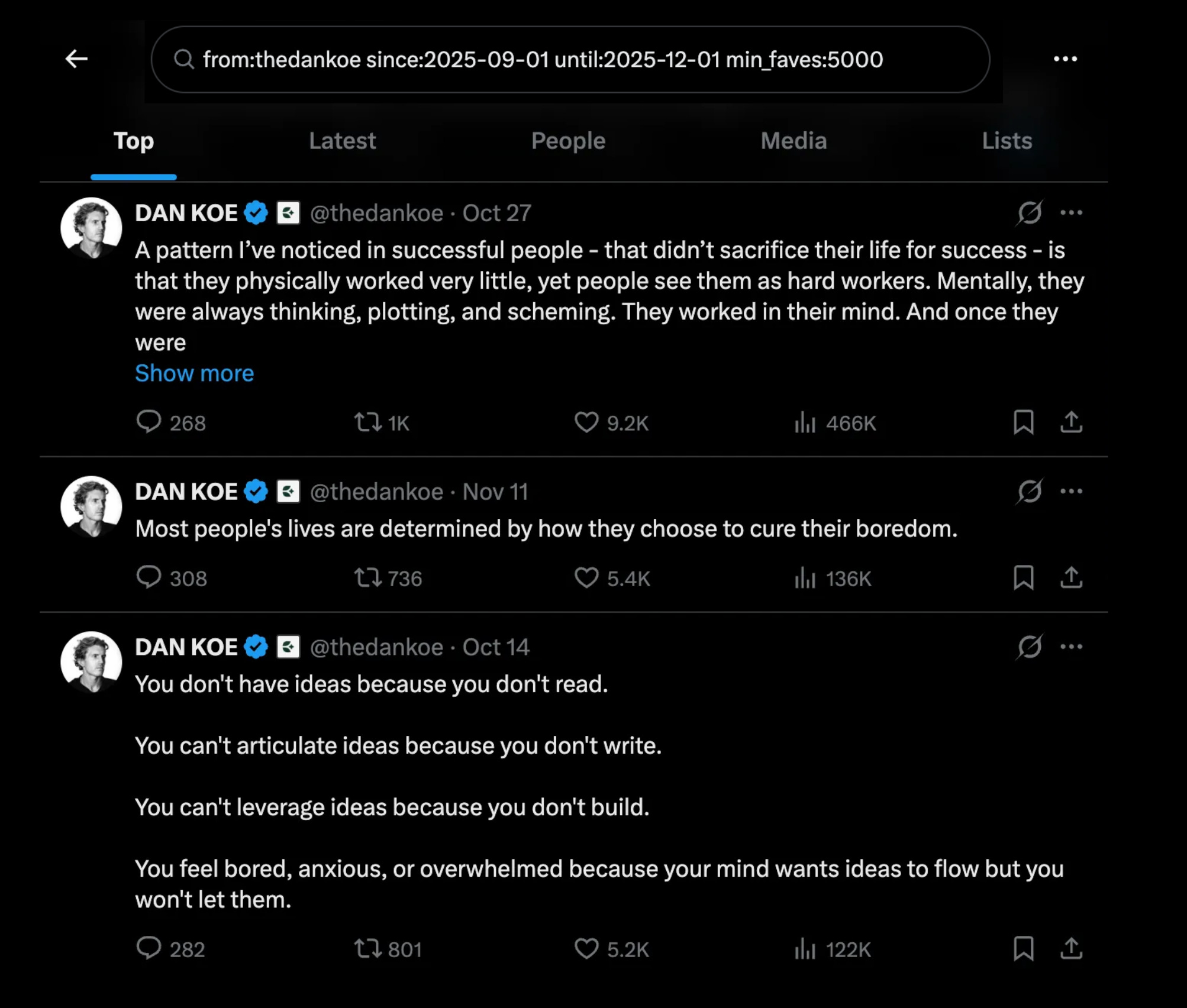
The tool isn’t perfect with this in my experience, but it will still show you most of the outlier posts. If the results seem odd, changing the date range usually fixes it.
As you can see, Twitter automatically generates the text in the search bar for you again:
from:thedankoe since:2025-06-01 until:2025-12-01 min_faves:1000
You can also make changes there if you prefer that. Think about it as ‘search blocks’:
Words → “exact phrase”
Account → from:username
Minimum likes → min_faves:[number]
Date range → since:YYYY-MM-DD until:YYYY-MM-DD
Combined → from:username “exact phrase” since:YYYY-MM-DD until:YYYY-MM-DDmin_faves:[number]
Example → from:thedankoe “business” since:2025-06-01 until:2025-12-01 min_faves:1000
It looks complicated but you can just copy it and change the words. Or you can just use the Advanced Search screen if you prefer to keep it simple like me.
When you do this, you’ll grow much faster. But finding high-performing posts is only one part of the growth equation. You also need to learn to write in a way that grabs attention, and you need to learn
I recently uploaded a free course on Twitter growth on my YouTube channel, you can click here to watch it (might remove it later but it’s still free for now).
If you want my entire system that helped me get 54K followers, check out the X Growth System (price increases soon when I add the new version).
The best,
Stijn Noorman
How I Can Help You
1. X Growth System: How I grew from 0 to 55K 𝕏 followers, +100M organic views in a year, and built a 6-fig creator business without sales calls, ads, and cold outreach.
2. Aesthetic Writing: Learn the best writing strategies I used to gain 70M organic impressions and 18,100 followers in only 90 days.
3. All Resources: Click here to see all my workshops, courses, and other resources (discounts ending soon).
4. Work with me 1-1. DM me ‘AC’ (or reply via email) if you want my help to build a 6-fig Asset Creator business with +50K followers and +100M organic views per year. The Asset Creator model only requires 2-4 hours per day and we focus only on content, emails, and digital assets (no cold outreach, sales calls, or sleazy tactics).
5. Free eBooks. Get my Writing and Twitter Simplified eBooks for free by subscribing to my free newsletter (you also get a bonus worksheet that will help you to build a unique personal brand on social media). If you’re already a subscriber and haven’t received these yet, reply ‘ebooks’ to this email and I’ll send them to you:
It's funny, but I tried opening a Twitter account recently and got banned before I even got started. - And as for the helpdesk.... let's just say.... that's a joke too. - But I have heard of that tool, and it does look like a great one to use.